

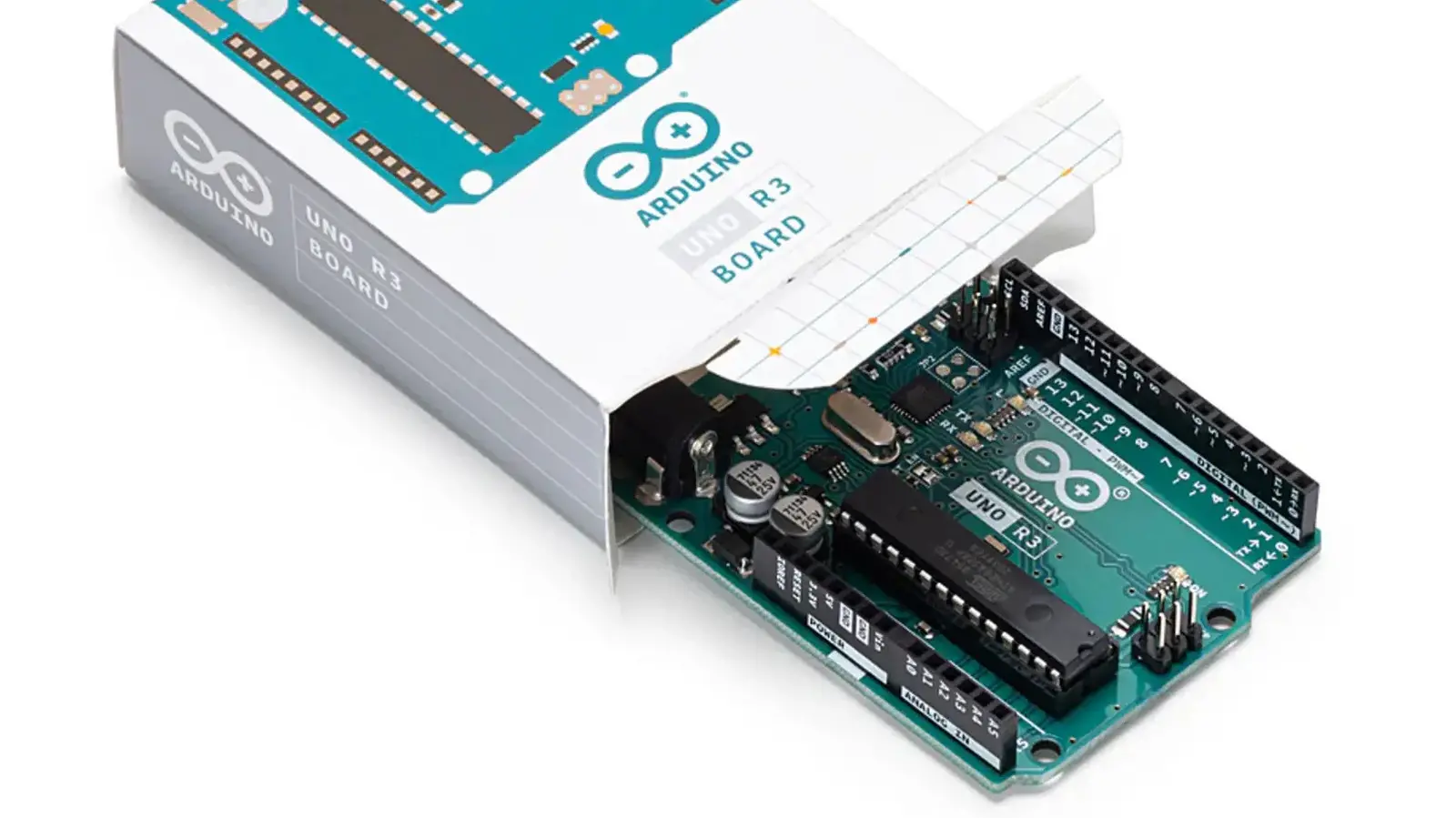
The Arduino Uno Rev3 is a powerful yet accessible microcontroller board that has become a staple in the world of DIY electronics. While it cannot run multiple applications like a Raspberry Pi, its simplicity and extensive community support make it perfect for building practical home office gadgets. Whether you are a beginner or an experienced maker, these six projects will help you automate tasks, boost productivity, and add a touch of creativity to your workspace. Each project leverages the Uno Rev3's input/output capabilities, sensor integration, and programming flexibility to address common work-from-home frustrations.
Pomodoro Timer
Productivity is often the biggest challenge when working from home. The Pomodoro Technique, which breaks work into 25-minute focused intervals followed by short breaks, can help you stay on track. This Arduino-based timer automates the process with a simple push-button start. When activated, a green LED lights up and an LCD displays "Study time!" with a count-up timer. After 25 minutes, the system switches to a red LED and shows "Short break!" for five minutes. After four cycles, it signals a 15-minute long break. The sketch is around 150 lines, making it easy for beginners to modify session durations or add an audible buzzer. You can also expand the display messages to include motivational quotes or custom labels for different tasks.
Paper Shredder Bin Monitor
For those who handle sensitive documents, a paper shredder is essential. However, a full bin can cause jams and messy spills. This project uses an ultrasonic sensor mounted inside the shredder bin to measure the distance to the shredded paper pile. The Arduino takes ten readings and averages them to reduce noise. When the average distance falls below a set threshold, the board sends an email alert via a PHPoC Shield. The email includes the shredder location and a message to empty the bin. You can customize the threshold based on your bin height and choose to receive alerts on your phone or computer. This project is ideal for offices with multiple shredders, as you can assign unique identifiers to each unit.
Mouse Cursor Controller Using Joystick
Long hours of mouse use can lead to wrist strain. This project replaces your standard mouse with a joystick module connected to the Arduino Uno Rev3. The joystick contains two potentiometers for X and Y axes, and a push-button for left-click. The Arduino reads the analog values and sends them to your computer via USB. A companion Python script interprets the data and controls the mouse cursor. You can rest your hand in your lap while scrolling or clicking. The project is minimal, requiring only the Uno and a DIYables joystick module. For additional functionality, you can add a right-click button or adjust sensitivity in the Python code.
Do Not Disturb Indicator
Distractions from family or roommates can interrupt important meetings or deep-focus work. This project uses the classic Spaceship Interface code from the Arduino Starter Kit. When powered on, a green LED shows that you are available. Pressing and holding a button turns off the green LED and starts alternating two red LEDs, signaling that you are busy. Releasing the button returns to the green state. You can replace the small LEDs with larger ones or even a light bulb connected through a relay. Using a toggle switch instead of a push button allows you to lock the indicator on without holding the button. This project is perfect for video conferencing or when you need uninterrupted writing time.
Temperature-Based Fan Speed Controller
Staying comfortable in your home office is crucial for concentration. This project uses a DHT11 temperature sensor to monitor room temperature and automatically adjust a DC fan's speed. Below 29°C (84.2°F), the fan runs at low speed. Between 29°C and 32°C (89.6°F), it switches to medium. Above 32°C, it runs at maximum. An I2C LCD displays the current temperature and fan speed setting. The circuit includes a motor driver (such as L293D) to control the fan, and the Arduino sketch is under 100 lines. You can modify the temperature thresholds, add multiple fans, or use a different sensor like DHT22 for higher accuracy. This project helps reduce energy consumption by running the fan only when needed.
Endless Runner Game
During short breaks, it's nice to have a quick distraction that doesn't involve a screen. This project turns your Arduino Uno Rev3 into an endless runner game using a 16x2 LCD and a push button. The game is similar to the Chrome Dino game: you control a character that must jump over obstacles by pressing the button. The score increases the longer you survive. The components are simple—Uno, LCD, button, and breadboard. You can encase the project in a small box for a polished look. Once you master the endless runner, you can reprogram the LCD to play Snake, Space Impact, or other classic games. This project is a great way to relax your eyes while still engaging your mind.
All these projects highlight the versatility of the Arduino Uno Rev3 beyond educational settings. They demonstrate how a single-board microcontroller can solve real-world home office problems with minimal components and cost. Whether you are looking to boost productivity, improve comfort, or simply have fun, these ideas provide a solid foundation for customization. With the extensive online resources available for the Uno Rev3, you can easily expand each project to fit your specific needs. Start with a simple timer or indicator, and soon you will be building complex automation systems that make your work-from-home experience more efficient and enjoyable.
Source: SlashGear News